A proper player
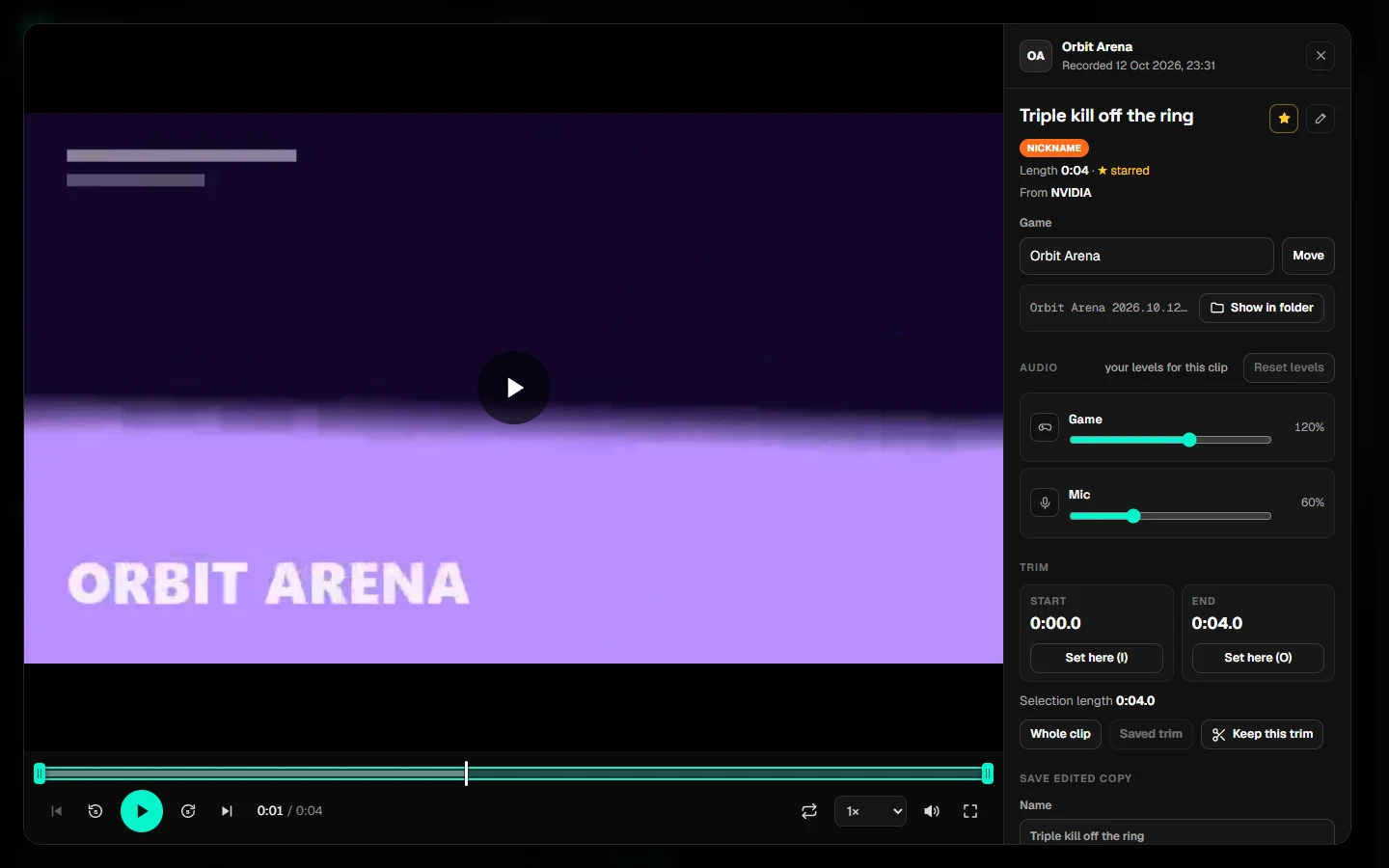
Every clip opens in a player built for game clips:
- Frame-by-frame stepping, loops, speeds and keyboard shortcuts
- A separate volume for each recorded track
- Trim handles, and "keep this trim" so previews play just the good part
Cliptrove gathers your clips from SteelSeries GG, NVIDIA, AMD, Xbox Game Bar, OBS and Medal into one library. Watch them, mix their audio, trim and share, and see what you've been playing. Nothing leaves your PC.
About 12 MB · No account · No Python needed
Names and logos belong to their owners. Cliptrove isn't affiliated with them.
Your recorder saves them. Cliptrove makes them easy to find, watch, fix up and share.
Clips from all your recorders, grouped by game with cover art. Hover over any clip to preview it.
Game, Chat and Mic each get their own volume slider, up to 200%. Cliptrove remembers your levels for every clip.
Cut out the good part and save a copy in full quality, or compressed under 18 MB so it fits on Discord.
Name your best moments, star them and filter for them later. Put clips from any recorder under the right game.
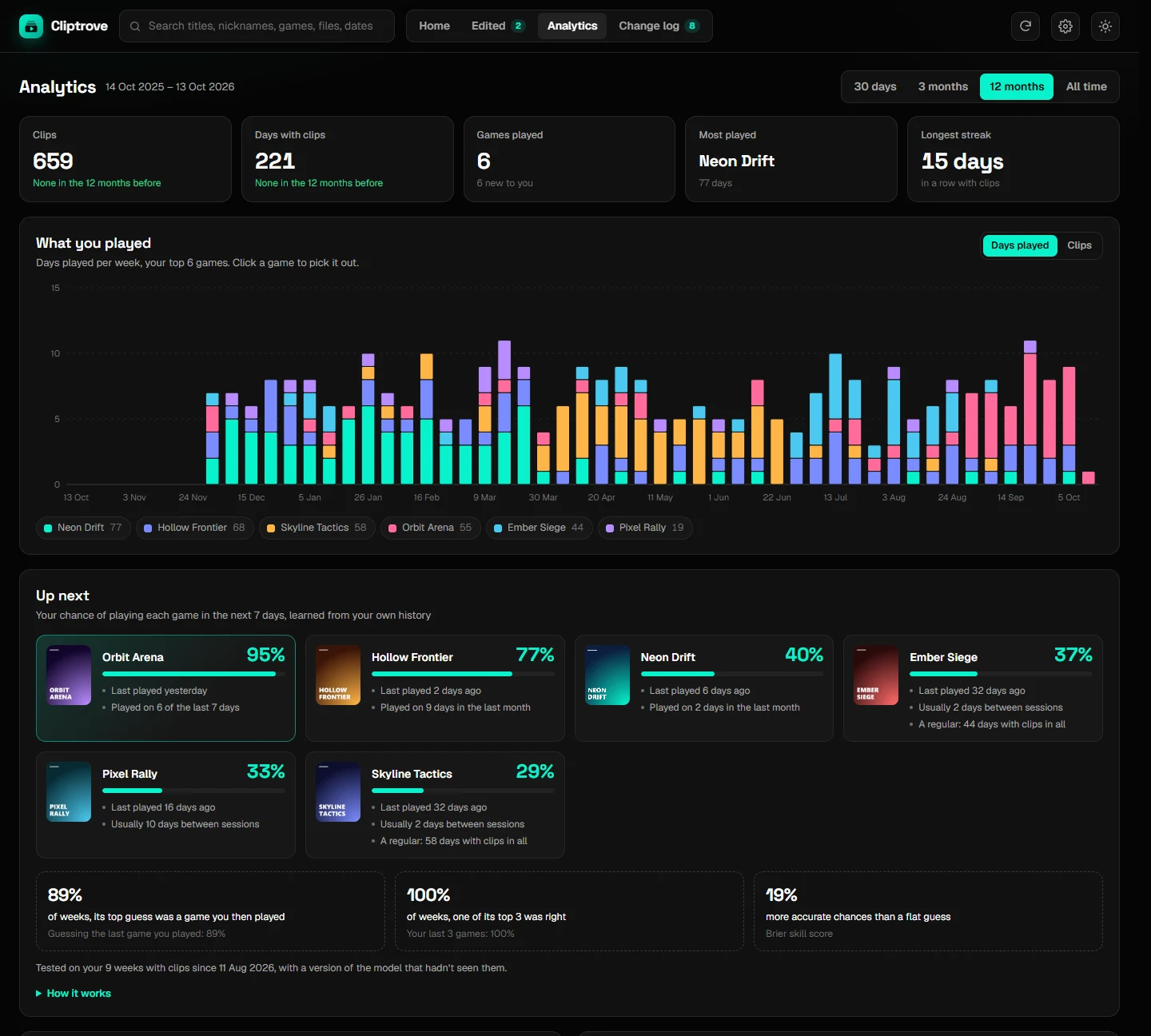
Charts of what you played and when, your top games, and a guess at which games you'll play next week.
No account, no uploads, no tracking. Your clips are never moved or changed.
Every clip opens in a player built for game clips:
See what you played week by week, your top games, when you usually play and a calendar of clip days.
Up next learns from your own history and tells you how often it's been right.
No installer, no account, no sign-up.
Get Cliptrove-…-windows.zip from the latest release.
Extract it anywhere and double-click Cliptrove.exe. It opens in your browser.
A short setup on the first start asks which apps you clip with. Cliptrove finds their folders for you where it can.
Windows may say it "protected your PC" because Cliptrove isn't code-signed. Click More info, then Run anyway. For thumbnails, separate Chat/Mic audio and saving copies, also install the free ffmpeg (winget install Gyan.FFmpeg). The step-by-step guide has screenshots.
Cliptrove is a small app that runs on your own PC and shows itself in your browser at a private address only you can reach.
The only thing it fetches from the internet is cover art from Steam, plus the page's fonts. Read the privacy details.
Yes, for personal and other noncommercial use. The source code is public under the PolyForm Noncommercial license. Selling it or using it commercially needs permission.
SteelSeries GG (read straight from its library), NVIDIA ShadowPlay / NVIDIA App, AMD ReLive / Adrenalin, Xbox Game Bar, OBS Studio, Medal, and any folder of videos. It works out the game and date from each recorder's file names and folders.
No. It only reads them. New files are only written when you save an edited copy, into an "Edited Clips" folder you choose.
The download is for Windows. Developers can run it from the source code on macOS and Linux, but that isn't tested yet.
Ask in Discussions or report a bug. Please leave out personal folder names.